
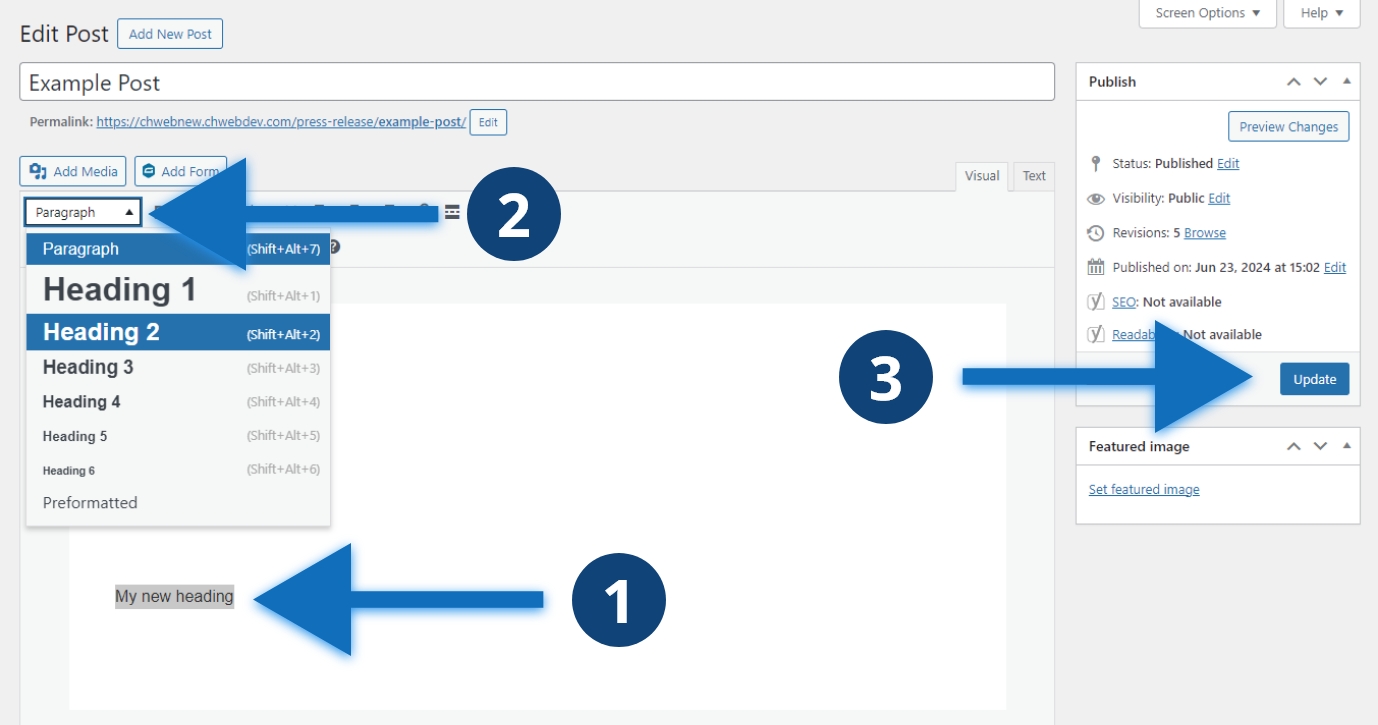
Steps to add a heading
- Write your heading and select the text
- Select the style dropdown and select the appropriate heading, it defaults to “Paragraph”
- Click the blue “Update” button to update your post
Other considerations
You can use shortcuts to set text to be a heading. On Windows, “Shift+Alt+2” will set selected text to a heading level 2. This works for all levels, such as “Shift+Alt+6” for heading 6. On Mac, the shortcut is “Control + Option + H”, replace H with your heading level.
