
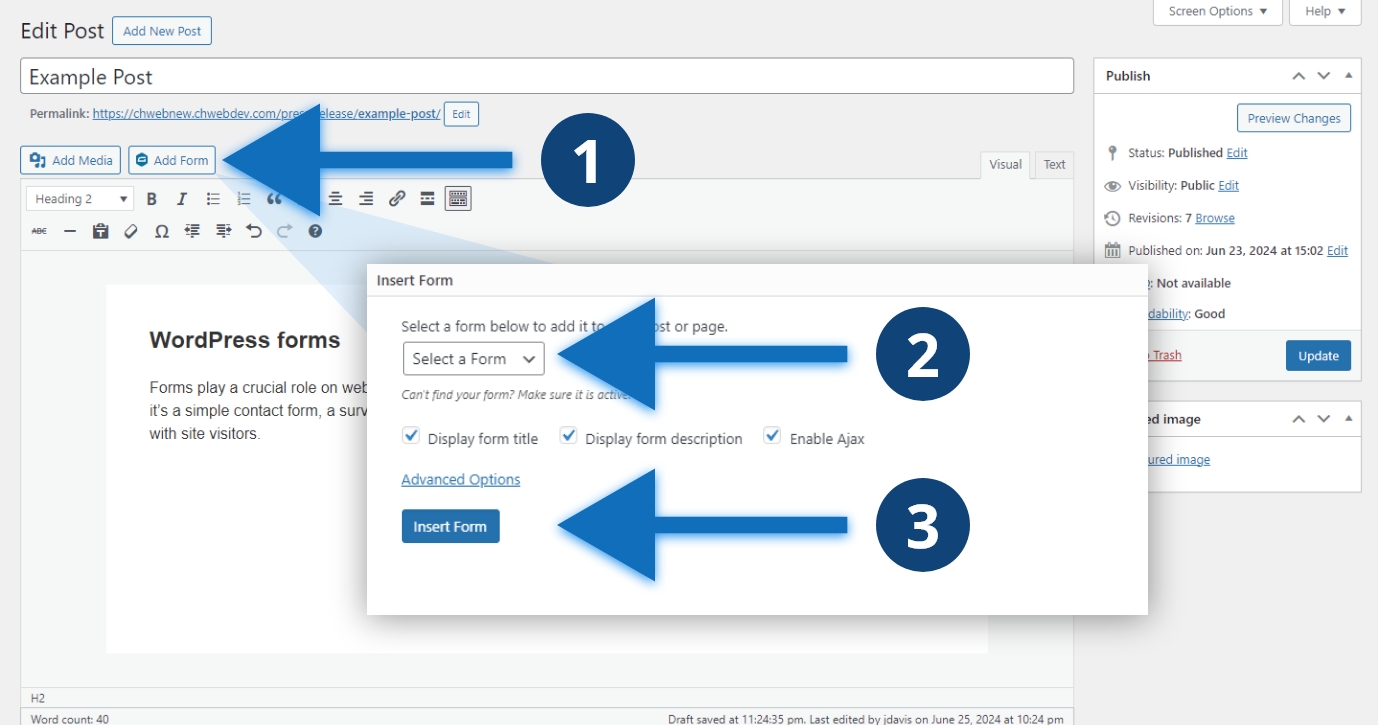
Steps to change the URL
- Click the “Add Form” button
- Select your form using the dropdown
- Click the blue “Insert Form” button
Other considerations
We recommend selecting “Display form title” and “Enable Ajax”. Your form title is set when you create your form. Ajax means that your page won’t refresh when users submit your form. If your form has a description, we recommend selecting this option. It is more accessible to use the form’s title than to add your own custom title using a separate heading. You can change the form title in the form’s settings.
