
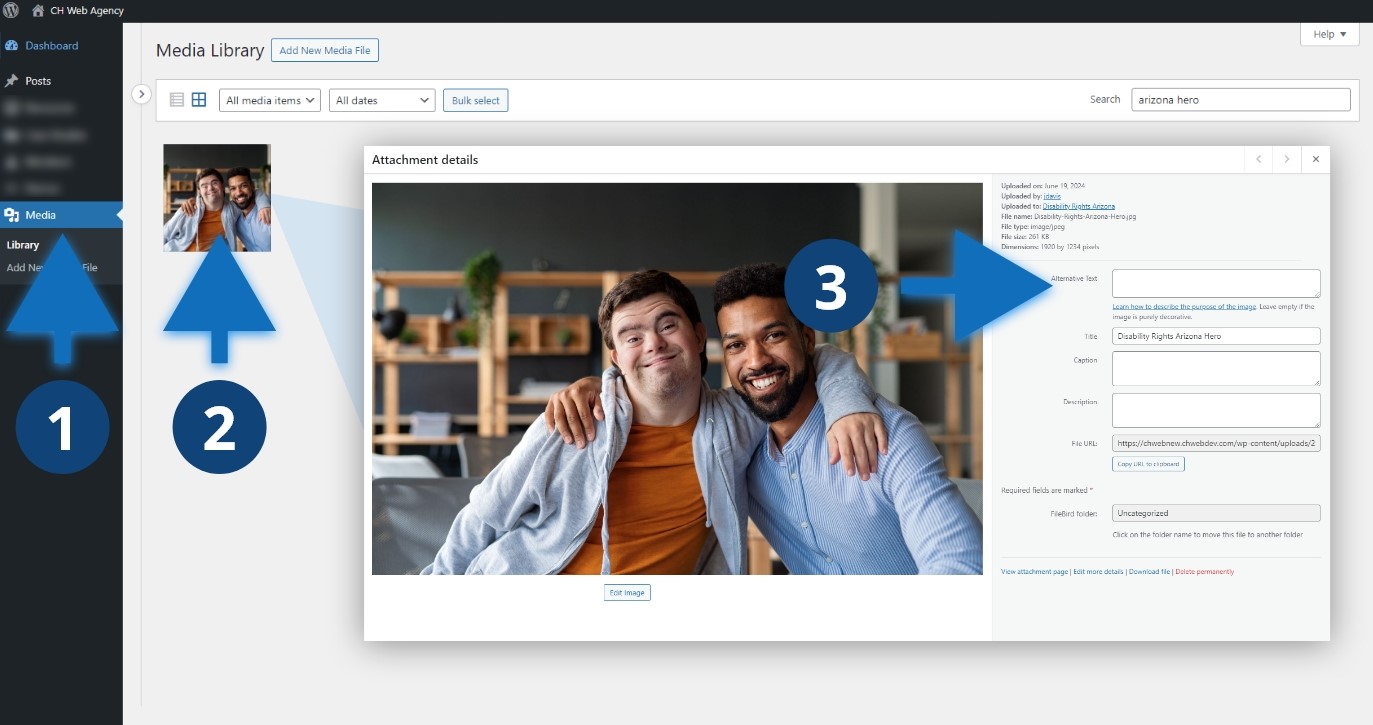
Steps to add alt text to your image
- Click “Media” in the dashboard sidebar.
- Find the image you want to edit and click the thumbnail.
- In the “Attachment Details” add your alt text to the field labeled “Alternative Text”.
Other considerations
Add alternative text to images that provided added context to your page or post. If the image is purely decorative, leave the field empty. Avoid images with text in the image. However, if you do have an image with text, add that text to the alternative text field so screen readers have access to the information.
