
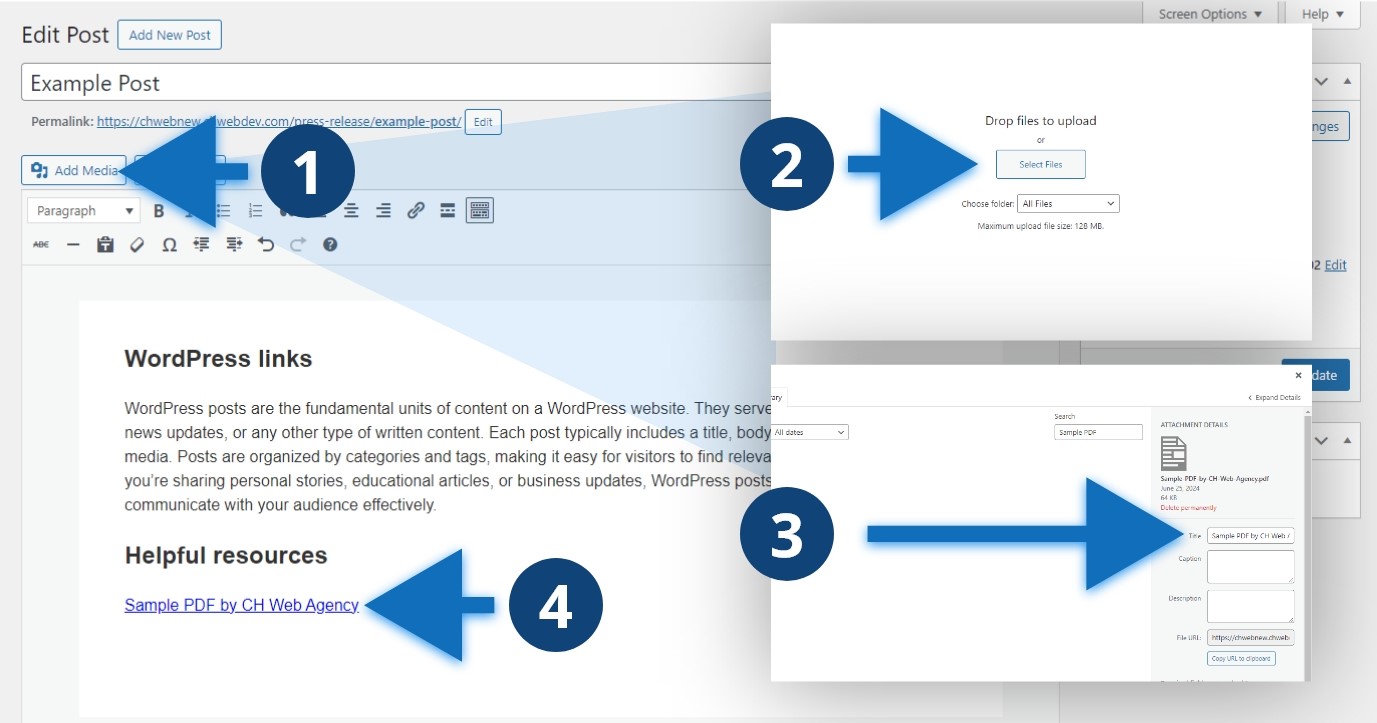
Steps to add a PDF link
- Click “Add Media”
- Select “Upload Media” and “Select Files” or drop files into the browser window
- Update the title of the PDF, this is your link text
- Click the blue “Insert into post” button, the PDF link will insert into the editor
Other considerations
PDFs are typically less accessible than web-based alternatives. Consider whether this content is best suited as a PDF or if you can move it into a website post. If you determine you need the content as a PDF, such as a downloadable flyer, check the file size before uploading and aim for a pdf that is less than 300kb.
