
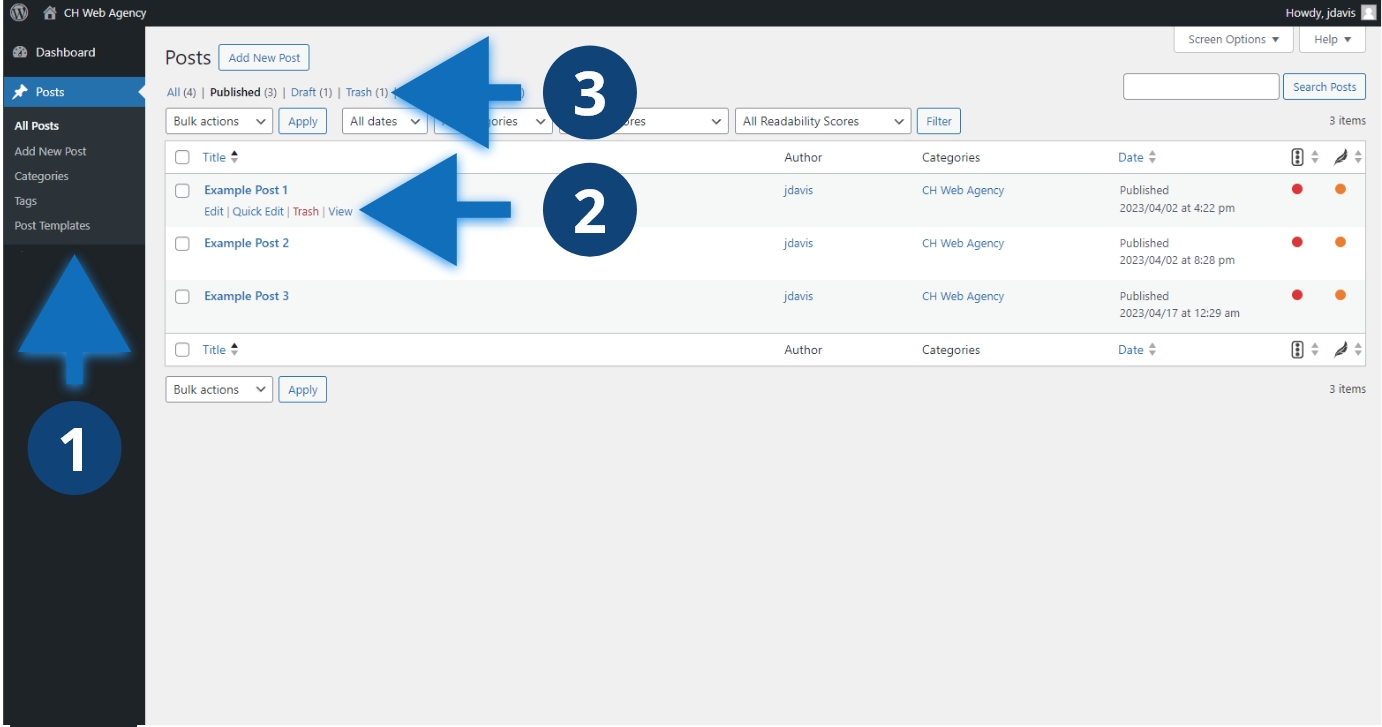
Steps to remove a post
- Click “Posts” or the name of the post type you need to manage.
- Search for the post you want to remove. Hover over the post title and click trash.
- The post will be removed from the front-end of the website and placed in “Trash”
Other considerations
Marking a post trash removes it from the front-end of the website and makes it so the post cannot be found by it’s URL. Trashed posts are automatically and permanently deleted from the database after 30 days. After they are deleted, the posts will no longer be recoverable. Before 30 days, you can recover the posts marked trash and move them back to draft or published status. If you don’t want the post to be permanently deleted, consider making the post a draft so that it is still removed from the front-end.
