
Steps to style a link
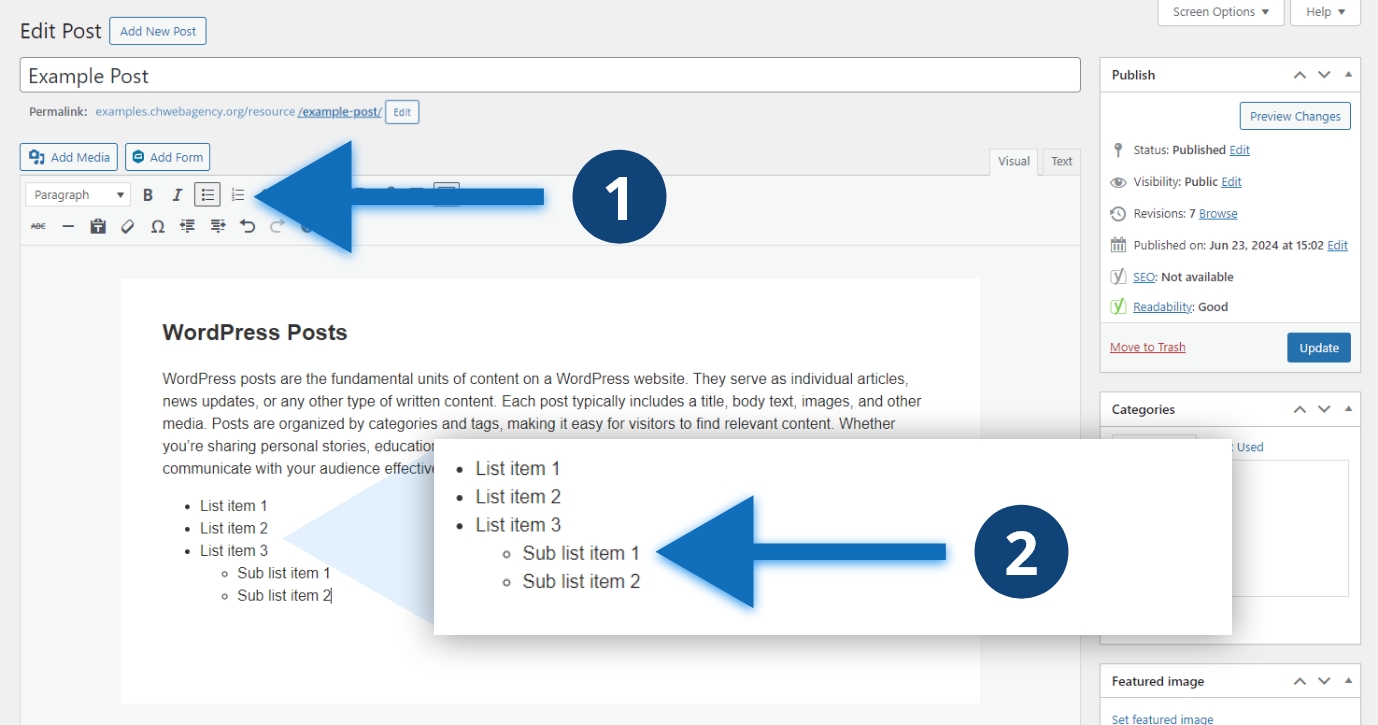
- Click the “Bullet List” or “Numbered List” buttons in the editor.
- Write your list and indent with the tab key as needed.
Other considerations
It is tempting to create your own style for lists using a special icon, emoji, or character. Avoid doing this, applying your own styles to make text look like a list does not have the same semantic meaning as using the unordered or numbered list options in the editor. These options apply HTML tags to the list, both correctly styling the content and making it more more accessible for those using assistive technologies to read.
