
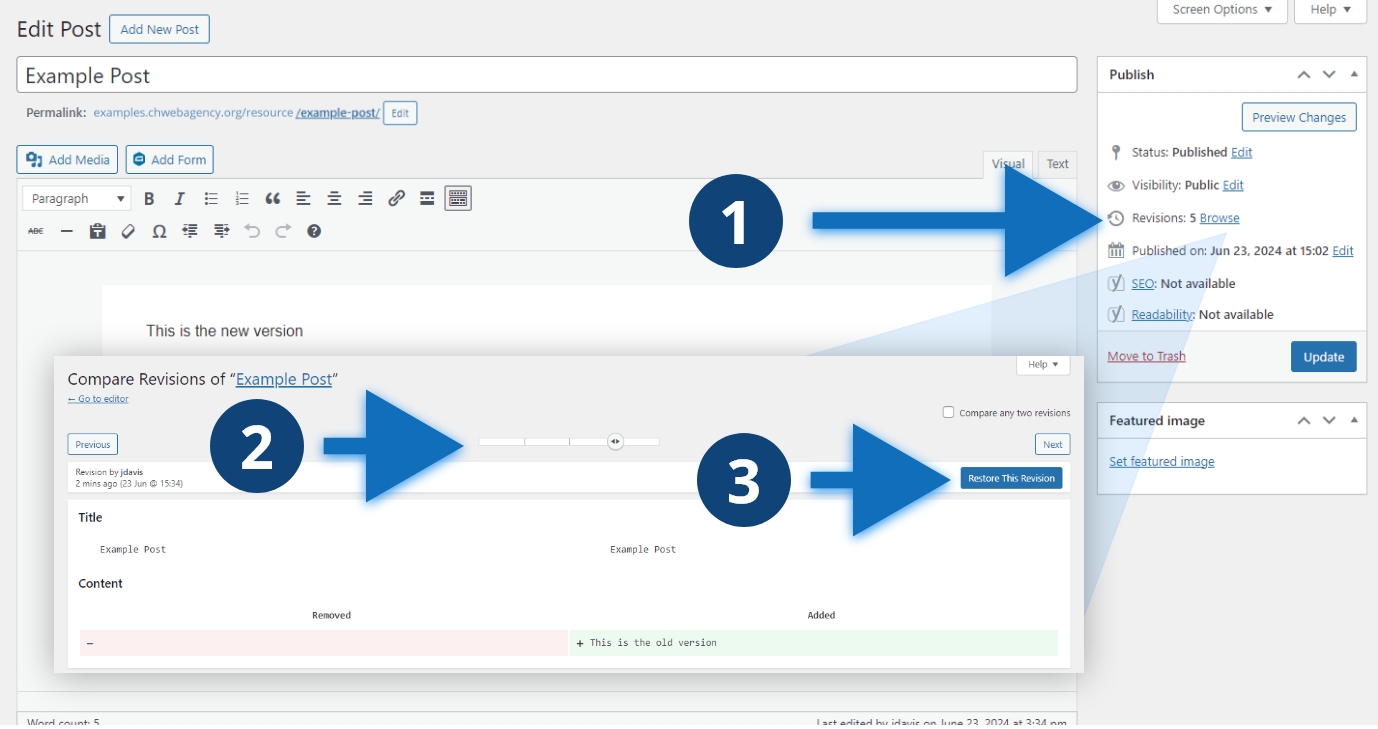
Steps to restore a revision
- Click the Browse link
- Navigate to the revision you want
- Click the “Restore This Revision” button and update the post
Other considerations
In the “Compare Revisions” window, you can see what was removed, red, and what has been added, green. You can also see the username of who made the revisions and when. WordPress supports revisions for all post types, if you don’t see the option, click “Screen Options” and see if it’s toggled off.
