
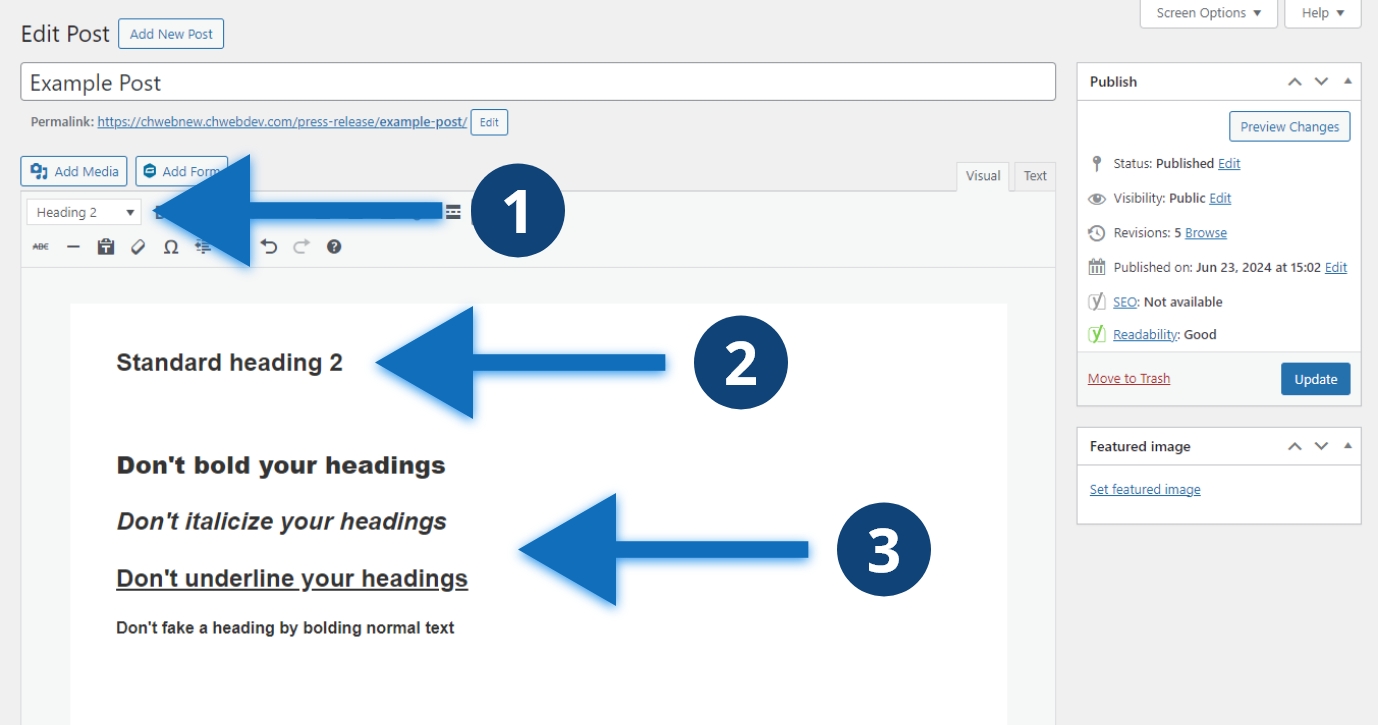
Steps to style a heading
- Select the style dropdown and select the appropriate heading, it defaults to “Paragraph”
- Your heading will automatically be styled correctly
- Don’t apply additional styles to your heading
Other considerations
It is tempting to style your headings to make them more aesthetically appealing. Avoid applying your own styles to headings. Your web designers and developers have carefully selected default heading styles for readability and accessibility. Avoid changing bolding, italicizing, or underlining your headings. Color should also be used with great care to not impact accessibility and usability. Don’t create your own heading by bolding normal text.
