
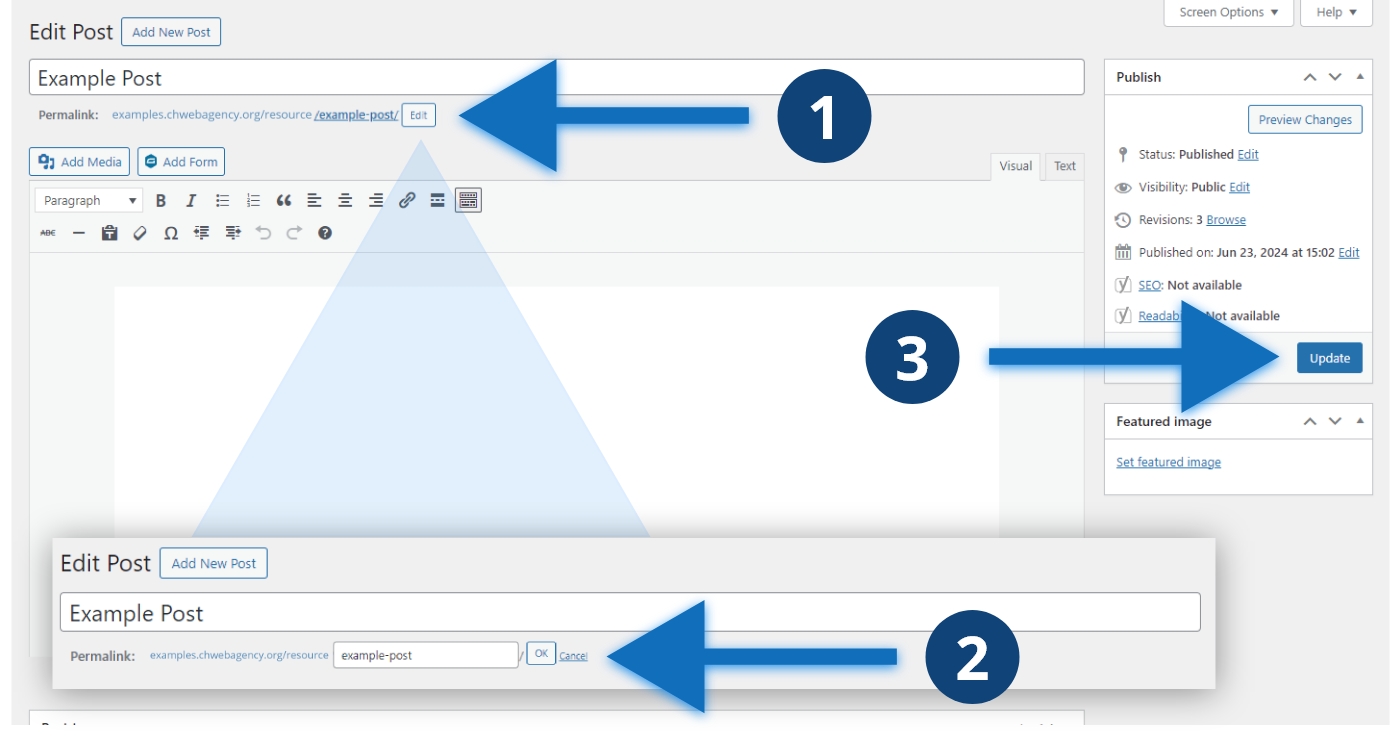
Steps to change the URL
- Click the “Edit” button
- Write your new URL and click the “OK” button
- Click the blue “Update” button
Other considerations
You can’t use the same permalink twice. If you do, this will add a “name-2” “name-3” and so on for each additional post with the same title. Make your permalink either the title of your post or a shortened version of the title. You can’t modify the category or the name of your website when editing the permalink. Avoid a permalink with numbers.
