
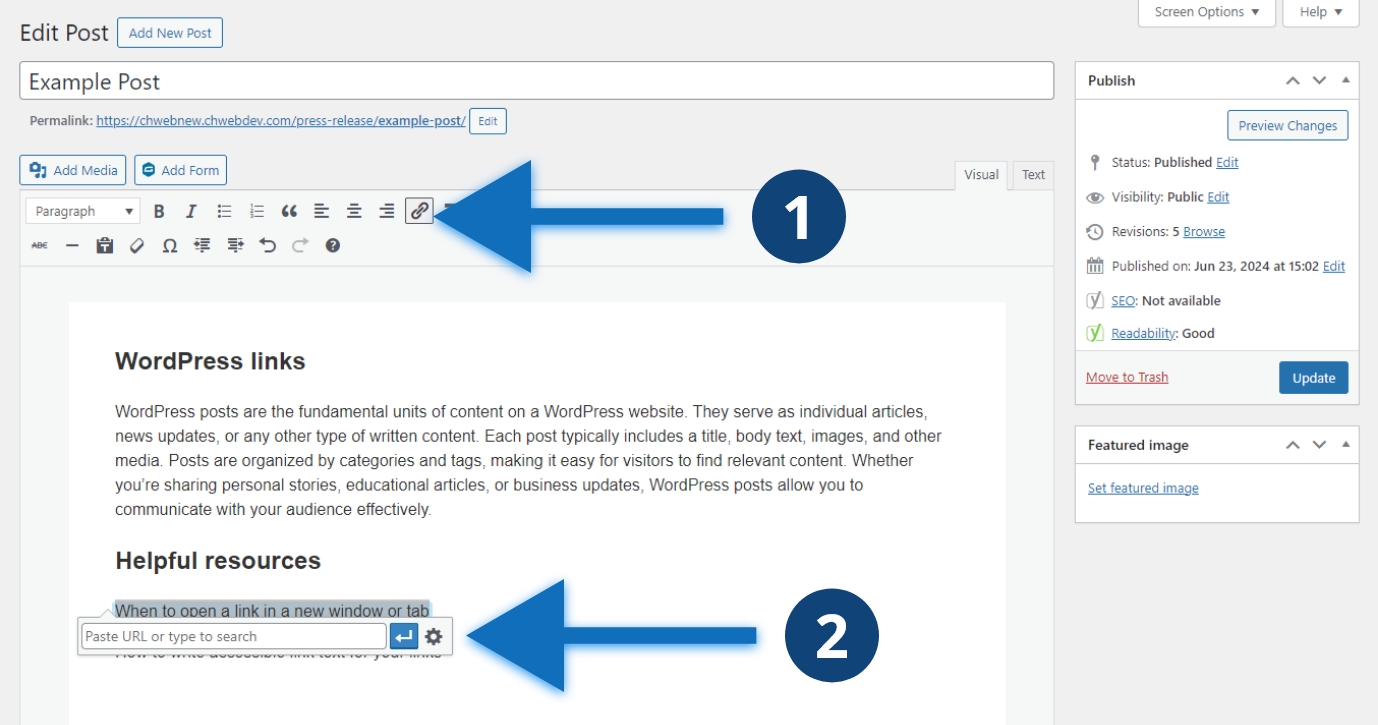
Steps to create a link
- Select the text you want to link and click the “Insert/edit link” button
- Past the URL or search for the page you want to link and click the blue button
Other considerations
You can also use keyboard shortcuts to insert a link. Use “ctrl + k” on Windows to insert a link on selected text. On Mac you use “command + k.”
